We Ship Worldwide – Reliable International Delivery
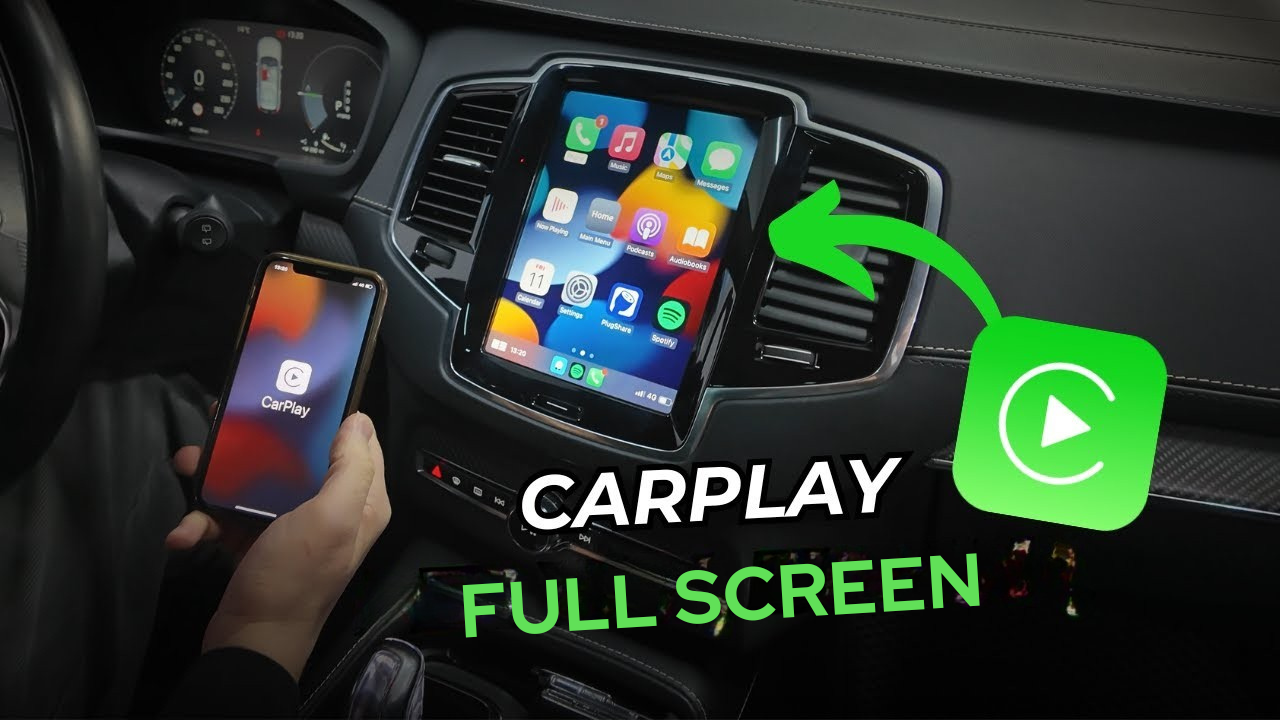
The Volvo XC90’s original 9-inch multimedia screen looks great, but the built-in Apple CarPlay and Android Auto are limited to a small portion of the display. Installing a dedicated module unlocks full-screen carplay and Android Auto, preserves the factory features, and gives you native navigation apps like Google Maps, Waze, Sygic, and the usual music apps across the entire screen.
The factory Volvo layout compresses smartphone apps into a smaller window. Full-screen carplay makes navigation, media, and messages easier to read and control. On a large 9-inch screen this is especially noticeable: maps are bigger, icons are clearer, and the whole interface feels modern and native.
After installation you still use the Volvo’s original menu and controls. Press and hold the center button to switch into carplay, or swipe to return to the factory menu. When reversing, the car switches automatically to the factory camera view, including 360 cameras if the car has them.
The module has been designed to minimize lag. App switching, navigation and audio playback feel smooth and responsive, comparable to native implementations.
The system uses the vehicle’s original Bluetooth audio channel for phone sound. Because the Volvo multimedia can only use one audio source at a time, you must select Bluetooth as the audio source to hear media and voice prompts from carplay. If the radio, CD or USB is selected instead, carplay will still display on the screen but audio from your phone will not be heard.
The installation is an electronics retrofit and should be performed by someone comfortable with vehicle dashboards and wiring. The process preserves all original settings and functions.
This full-screen carplay and Android Auto integration fits Volvo models equipped with the factory 9-inch screen from roughly 2017 through 2021. Common compatible models include:
For Volvo owners who want a cleaner, larger interface for navigation and media, a full-screen carplay upgrade is a practical improvement. It keeps factory functions intact, supports wireless connection, and makes the most of the 9-inch display. The only trade-off to remember is the single audio channel requirement, which is easy to manage by selecting Bluetooth as the audio source.
If usability, larger maps and a modern interface matter to you, this is a worthwhile upgrade that turns a cramped CarPlay window into a full, native-feeling experience on Volvo’s premium screen.
add new car
Your settings
add new car


