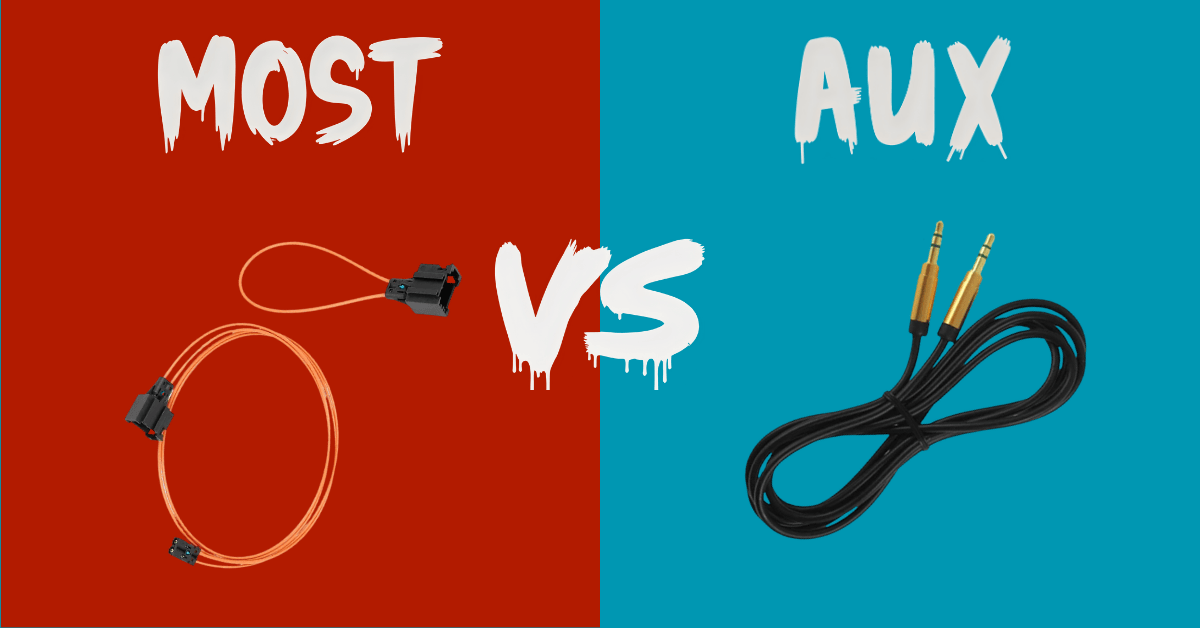
Apple CarPlay and Android Auto have become essential tools for modern drivers, offering seamless smartphone connectivity, navigation, music streaming, and voice control. However, integrating these systems into your car’s original multimedia setup can be done in two primary ways: AUX (or analog-based connectors) and MOST (Media Oriented Systems Transport) fiber-optic connections. Understanding the differences between these methods can help you optimize both audio quality and functionality in your vehicle.
Understanding CarPlay Integration in Modern Cars
CarPlay and Android Auto do not replace your car’s original multimedia system—they overlay it. The integration allows your phone to control music, navigation, and communication apps directly on the car’s display. However, to transmit audio through the car speakers, a physical connection is required. Choosing the right connection method impacts both sound quality and flexibility, particularly in vehicles with high-end audio systems.
Key Considerations for Integration
Compatibility: Not every vehicle supports both AUX and MOST integration, especially in premium brands like Audi, BMW, and Porsche.
Audio Quality: The choice of connection directly affects fidelity and dynamic range.
Source Flexibility: Some integrations allow simultaneous use of the car’s original audio sources alongside CarPlay, while others do not.
User Experience: Switching between audio inputs should be seamless for practical daily use.
AUX Integration: Simplicity Meets Flexibility
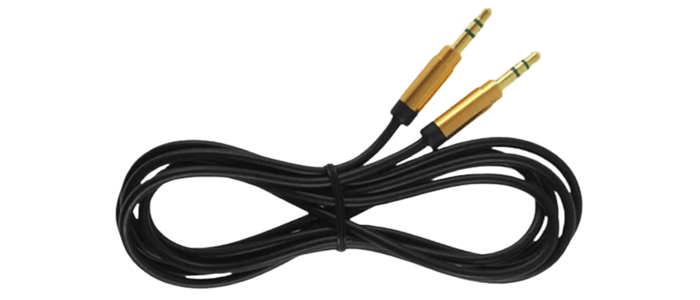
Analog AUX connections remain a popular choice for CarPlay installation due to their simplicity and broad compatibility. In this setup, the CarPlay system connects to your car via an AUX port, AMI interface, or USB-AUX alternative.
How AUX Integration Works
When using AUX integration:
Drivers must select the AUX input on the car’s multimedia system to hear CarPlay audio.
The car’s original audio sources (FM radio, CD, or Bluetooth) can still function independently, but CarPlay audio will mute when switching away from AUX.
Sound quality is transmitted via copper wiring, which is prone to minor signal degradation compared to digital methods.
Pros and Cons of AUX Integration
Pros:
Compatible with most vehicles.
Allows simultaneous access to multiple audio sources (radio, CD, Bluetooth).
Simple and cost-effective installation.
Cons:
Lower sound quality, with reduced volume and less pronounced bass compared to digital methods.
Audio fidelity may vary between vehicles.
Audio Quality Comparison
Feature
AUX Integration
MOST Integration
Signal Type
Analog (copper wire)
Digital (fiber-optic)
Max Volume Potential
±30% lower than CD
Equal or superior to CD
Bass & Treble
Less pronounced
Full-range, high-fidelity
Source Flexibility
High (FM, CD, BT)
Low (dedicated CD changer channel)
MOST Integration: Premium Audio Experience
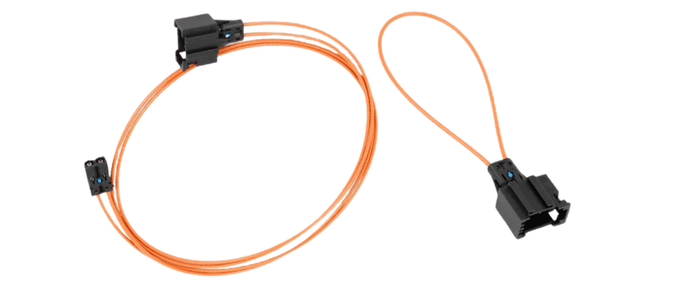
MOST fiber-optic connections represent the cutting edge of in-car multimedia integration. By connecting directly to the car’s optical ring, CarPlay can deliver audio at full fidelity, effectively using the car’s audio system as if it were the original CD changer or set-top box.
How MOST Integration Works
The CarPlay module is recognized by the car as a CD changer, automatically routing audio through the highest-quality channel.
Switching away from the CD changer channel (e.g., to FM radio) will deactivate CarPlay.
The system delivers superior sound quality, ideal for premium brands with advanced audio setups such as Harman, Bose, Logic, or Bang & Olufsen.
Advantages and Limitations of MOST Integration
Advantages:
Maximum audio quality, with no loss compared to original CD playback.
Seamless integration with premium sound systems.
Digital transmission eliminates signal interference.
Limitations:
Cannot simultaneously play CarPlay audio and another source.
More complex installation, sometimes limited to specific vehicle models.
Choosing the Right Integration for Your Car
The best choice depends on your listening habits and vehicle specifications:
Consider AUX if:
You frequently switch between FM radio, CDs, and CarPlay.
Your car does not support MOST integration.
You prioritize flexibility over absolute audio fidelity.
Consider MOST if:
You use streaming apps like Spotify, Apple Music, or YouTube frequently.
Your vehicle has a premium audio system.
You want the highest sound quality possible without compromise.
Tips for Optimal CarPlay Performance
Use high-quality cables: Even with AUX, premium cables can reduce interference.
Update firmware: Ensure your CarPlay module and phone software are up-to-date.
Position your phone carefully: For wireless CarPlay, maintain clear line-of-sight to the infotainment system for stable connectivity.
Consider online radio apps: If you choose MOST integration but still want radio, apps like TuneIn allow access to your favorite stations digitally.
Conclusion: Maximizing Your Car Audio Experience
Choosing between AUX and MOST integration for Apple CarPlay is a balance between flexibility and audio fidelity. AUX integration provides broad compatibility and the ability to use multiple audio sources simultaneously, making it ideal for drivers who still enjoy FM radio or CDs. MOST integration, on the other hand, delivers pristine, high-quality sound, perfect for those with premium audio systems or a focus on streaming music from smartphones.
By understanding the differences and weighing your priorities, you can unlock the full potential of CarPlay in your vehicle, enhancing convenience, entertainment, and driving enjoyment. Whether you value flexibility or premium sound, there’s a CarPlay integration that fits your lifestyle.
add new car
Your settings
add new car
Stay
Stuned.
Subscribe for updates, new product releases, and enjoy 5% off your first order.
Thank you for subscribing! Here’s your 5% discount code: WIRELESS5
This website uses cookies to improve user experience. By using our website you consent to all cookies in accordance with our Cookie Policy. Read more

 USD
USD