We Ship Worldwide – Reliable International Delivery
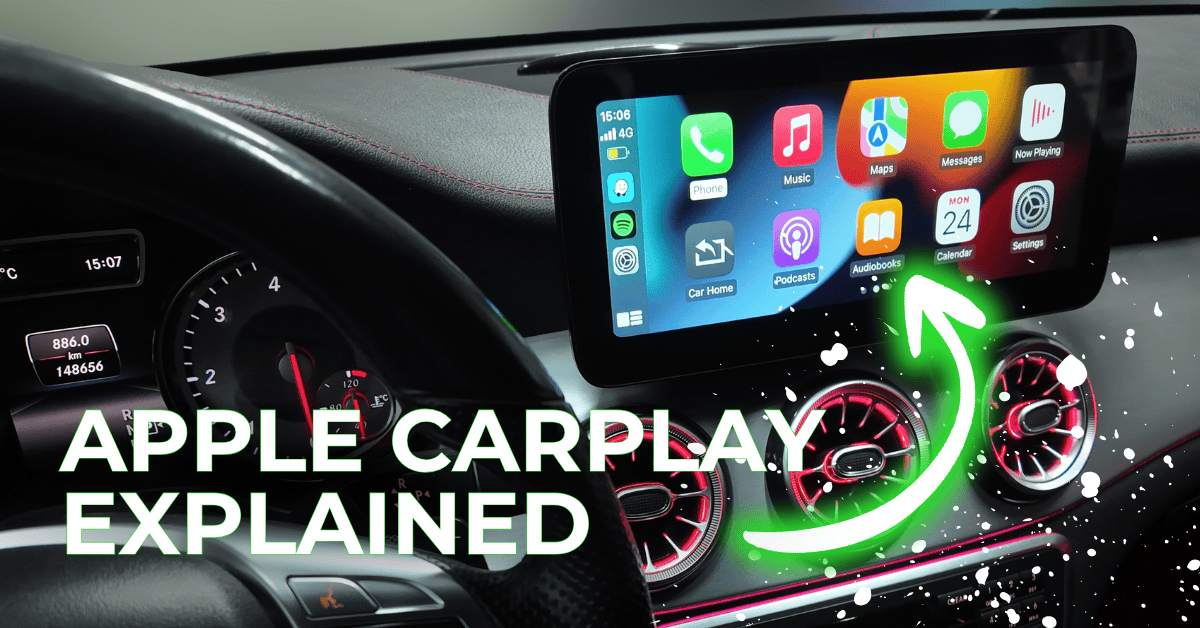
Staying connected while driving can be challenging, but Apple CarPlay provides a safe and convenient solution. It brings the most important features of your iPhone directly to your car’s dashboard, allowing you to navigate, communicate, and enjoy entertainment without taking your eyes off the road. By simplifying the interface and emphasizing safety, CarPlay helps drivers stay focused while maintaining access to essential apps. This guide will explain how CarPlay works, which apps are compatible, why some popular apps are restricted, and tips to get the most out of your driving experience.
Apple CarPlay is a driver-friendly interface that mirrors select iPhone features onto your car’s touchscreen. The system is designed to reduce distractions by presenting a simplified version of your phone’s functionality, focusing on apps and actions that are safe to use while driving. Navigation, communication, and entertainment apps are prioritized, making it easier to manage essential tasks on the go. With CarPlay, drivers can use Siri voice commands or in-car controls to access apps, leaving hands on the wheel and eyes on the road.
Key Features of Apple CarPlay:
CarPlay supports apps that enhance safety and convenience while driving. The following table summarizes the most important categories and their benefits:
| Category | Examples | Description / Benefit |
|---|---|---|
| Navigation | Apple Maps, Google Maps, Waze, Sygic | Turn-by-turn directions, real-time traffic updates, and route planning help drivers navigate safely and efficiently. |
| Communication | Phone, Messages, WhatsApp | Hands-free calls and messaging ensure you stay connected without taking your eyes off the road. |
| Music & Audio | Apple Music, Spotify, Pandora | Stream music, playlists, or radio stations safely while driving. |
| Podcasts & Audiobooks | Apple Podcasts, Audible, Spotify Podcasts | Stay entertained and informed with hands-free access to your favorite podcasts and audiobooks. |
| Messaging | iMessage, WhatsApp | Voice dictation allows safe responses to messages while keeping attention on driving. |
Tips for Using CarPlay Apps Safely:
To reduce distractions, Apple restricts certain apps from CarPlay. Key restrictions include:
Why These Restrictions Matter:
Maximizing CarPlay’s benefits requires understanding its functionality and organizing apps efficiently.
Best Practices for CarPlay Usage:
Example: Setting your navigation route and playlist before driving allows you to focus entirely on the road while enjoying a personalized driving experience.
Frequently Asked Questions:
Even if your car does not natively support CarPlay, aftermarket integration kits are available. These kits often provide:
Choosing the right integration allows drivers to enjoy the full CarPlay experience regardless of vehicle model, ensuring convenience, connectivity, and safety on every trip. If you want to upgrade your car visit our shop or contact us.
Apple CarPlay transforms your car into a connected and intelligent driving companion. By focusing on essential apps for navigation, communication, and entertainment, it helps drivers stay connected without compromising safety. Following best practices like using voice commands, organizing your dashboard, and limiting distractions ensures a smooth and productive driving experience. With the right setup and habits, CarPlay allows you to drive smarter, safer, and more efficiently, making every journey more enjoyable.
add new car
Your settings
add new car


